Is There an Offline China Travel Guide You Can Check During the Trip?
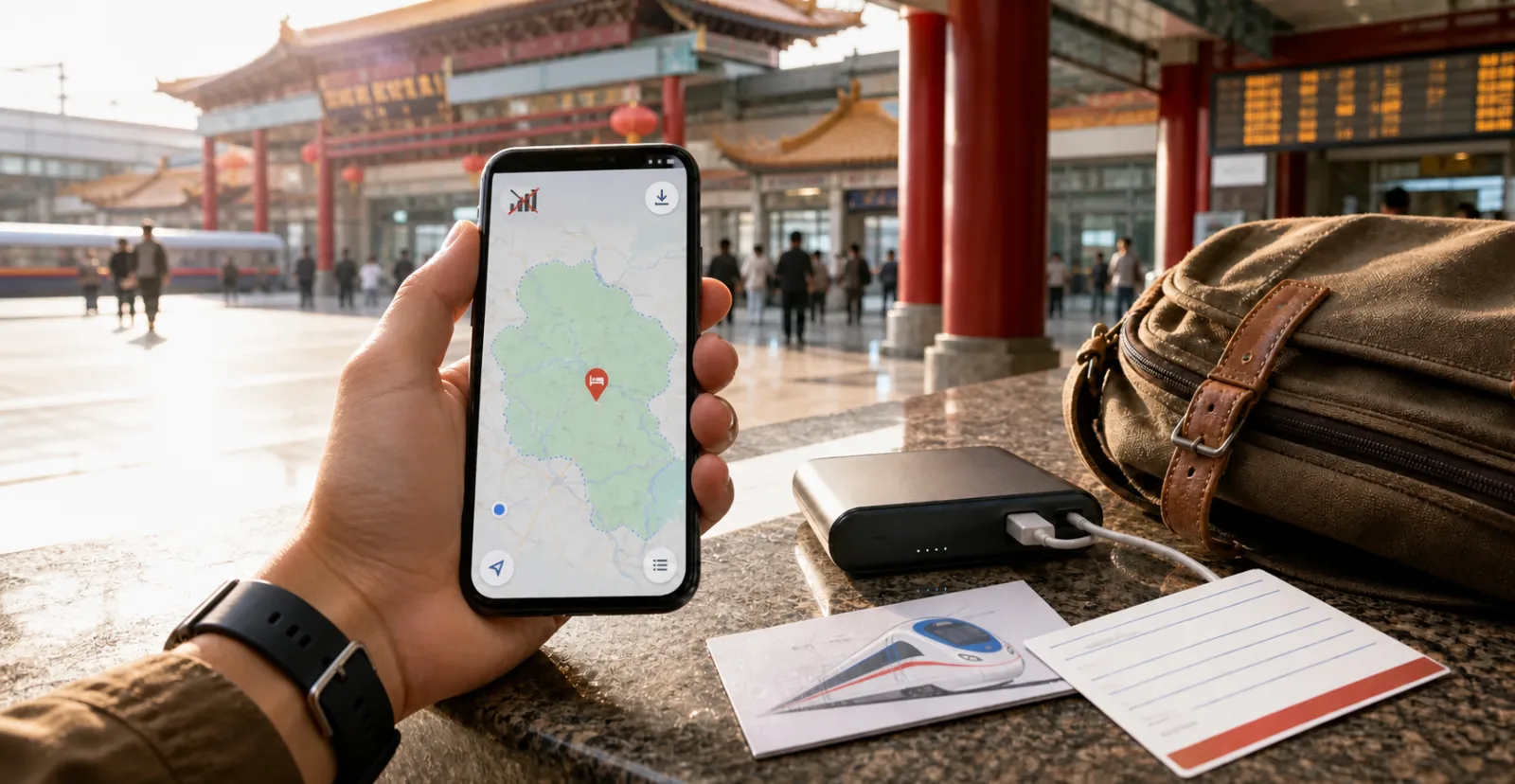
Partly, and the more useful question is what actually has to work offline
Partly. Most China travel guides, including web-based ones, need a connection to open, so the honest answer is that you should not plan to carry an entire guide offline. The good news is that you don't need to. Only a small set of things genuinely has to work with no connection at all, and everything else can wait until you have signal again. This is about working out which items belong on that short list, how to capture each one, and where offline access tends to break during a trip.
What a guide can and cannot do without a connection
A travel guide is most useful in two very different moments, and only one of them is offline.
Before you go, it tells you what to set up and in what order. That work happens at home, with a connection, and the output is a phone that is already configured.
During the trip, you mostly reach for it to check a detail. That is the moment people worry about, and it is worth being clear: a web-based guide is not a downloadable offline pack. What it can do is tell you which details you will need in a hurry, so you can capture them in a form that does not depend on being online.
The offline problem is a capture problem, not a guide problem.
The short list of things that must work with no signal
Keep this list small. A long offline archive is one you will not search when you are standing in an arrival hall.
-
Your entry basis and its dates. Visa or visa-free category, and how long it allows. Saved as an image, not a link.
-
Your accommodation address in Chinese characters. A driver, a hotel desk, or a police officer can read this instantly. A romanised name often is not enough.
-
Your first-night arrival plan. Which terminal, which transport option, roughly what it costs, and the name of the station or stop.
-
Ticket references. Train booking numbers, flight references, and any timed-entry reservation codes, captured as screenshots rather than links that need to reload.
-
A map area downloaded for offline use in whichever map application you have chosen, covering each city you will stay in.
-
Key phone numbers. Your accommodation, your airline, your insurer, your embassy or consulate, and the emergency numbers that apply where you are travelling.
-
A backup payment path. Enough cash for a taxi and a meal, kept separately from your main wallet.
Ready when: you can produce your address in Chinese, your entry dates, and your next ticket reference with the phone in airplane mode.
What can safely stay online
Almost everything else. Restaurant choices, opening hours, walking routes between sights, translation for a menu, and the parts of a guide you read for background all work fine when you are back on a connection, which for most travellers is most of the time.

Trying to save all of it produces a folder of screenshots you cannot navigate. The point of the short list is that it fits on one screen.
Capture each item so it holds up against more than one kind of failure
There are two separate failure modes, and travellers usually plan for only the first.
No data. Your phone works, but nothing loads. Screenshots, downloaded map areas and saved images all cover this.
No phone. The battery is dead, or the device is lost or stolen. Screenshots do not help here at all.
That second case is why one paper backup is worth the two minutes it takes. A single card with your accommodation address in Chinese, your name, your passport number location (not the number itself), and two phone numbers covers the situation where your phone is the thing that failed. Give a duplicate to whoever you are travelling with, and if you are travelling alone, keep it somewhere other than your phone case.
A power bank is part of the same answer, and it is worth checking current airline rules on carrying one before you fly, since these are reviewed periodically.
Where offline access most often breaks
The gaps are predictable, which means you can prepare for the specific ones rather than for a vague fear of being disconnected.
-
The arrival hall, before your data plan has activated. This is the single most common gap, and it is also the moment you need your address and your transport plan.
-
Underground on the metro, where coverage varies by line and station.
-
Rural stretches and mountain routes, where a day trip can move in and out of coverage.
-
The moment your battery drops below what a map application needs, which usually arrives earlier than expected on a long sightseeing day.
Note also that access to international applications can vary by provider, plan and routing, so it is worth confirming your setup works rather than assuming it will. Test the applications you plan to depend on once you land and have data, not at the point you need them.
Where a structured guide fits in
The hard part of the offline list is not saving files. It is knowing which seven things belong on it, and that varies with the route you have chosen.
trisAino Guide organises preparation around the situations you will meet and can help you decide what to save before departure. It is a web-based guide, not a downloadable offline pack, so save the details you need before departure. The complete Web Guide is free with an account. Planner can be used for free if you are still deciding on the route your offline notes need to cover.
BUILD THE LIST FROM YOUR ACTUAL ROUTE
Open the trisAino Planner to fix the cities and legs first, then work through the Guide to identify which items your particular route requires offline. A three-train itinerary and a two-city fly-in produce different lists.
Prepare for being offline, not for carrying everything
The instinct behind the offline question is sound. Being disconnected at the wrong moment is genuinely inconvenient, and it happens to most travellers at least once. The instinct that follows it, which is to download everything, does not work, because a large offline archive is unsearchable exactly when you are under pressure.
Build the short list instead, keep one copy off your phone, and test it in airplane mode before you fly. If you would rather not assemble that list by hand, shape the route in the trisAino Planner and let the Guide tell you what it requires.
Frequently asked questions
Does the trisAino Guide work offline?
It is a web-based product, so it needs a connection to open. Its role is to tell you what belongs on your offline list before you travel, which you then save as images, downloaded maps or a paper card. Plan to use it during preparation rather than as an offline reference.
What should I download before flying to China?
At minimum: your entry document as an image, your accommodation address in Chinese characters, your first-night transport plan, ticket references, an offline map area for each city, key phone numbers, and a small amount of cash as a backup payment path. Test all of it in airplane mode.
Do I need a printed copy of anything?
One card is enough, and it covers the case a screenshot cannot: a dead or missing phone. Include your accommodation address in Chinese, your name, and two phone numbers. Do not print your passport number or payment card details.
Will my maps and translation applications work everywhere?
Not reliably. Coverage varies underground, on rural routes and in the arrival hall before your data plan activates, and access to international applications can vary by provider, plan and routing. Download offline map areas in advance and confirm your setup works once you land.
Airline rules on power banks, entry requirements and connectivity options change. Confirm current rules with your airline and official sources before you travel.